


Power BI may be familiar. But it’s not always flexible.
You might be hitting limits around cross-cloud reporting, sharing data across teams, or managing ballooning licenses. Or maybe your environment just has too many tools doing the same job without delivering consistent, trusted insights.
If that sounds familiar, you're not alone. A growing number of enterprises are rethinking the role of their business intelligence (BI) layer. They’re choosing platforms that offer deeper visibility, tighter security, and simpler integration with their cloud investments. That shift often leads to Looker.
This guide walks through why and how to move from Power BI to Looker, including key benefits, planning tips, and how Promevo helps streamline the transition.
Why Enterprises Are Replacing Power BI
The Microsoft ecosystem worked — for a while. But inside the multidimensional matrix of data that we must parse through today, Power BI often creates more friction than flow.
Here’s what many decision-makers are running into:
- Siloed analytics across tools and departments
- Disjointed definitions from one report to the next
- Licensing complexity that creates bottlenecks
- Manual workflows that delay or distort insights
- Limited cross-cloud visibility in hybrid environments
Meanwhile, businesses are investing in cloud-native tools that unify data at the source (not just the dashboard). That’s where Looker fits.
What Makes Looker Different
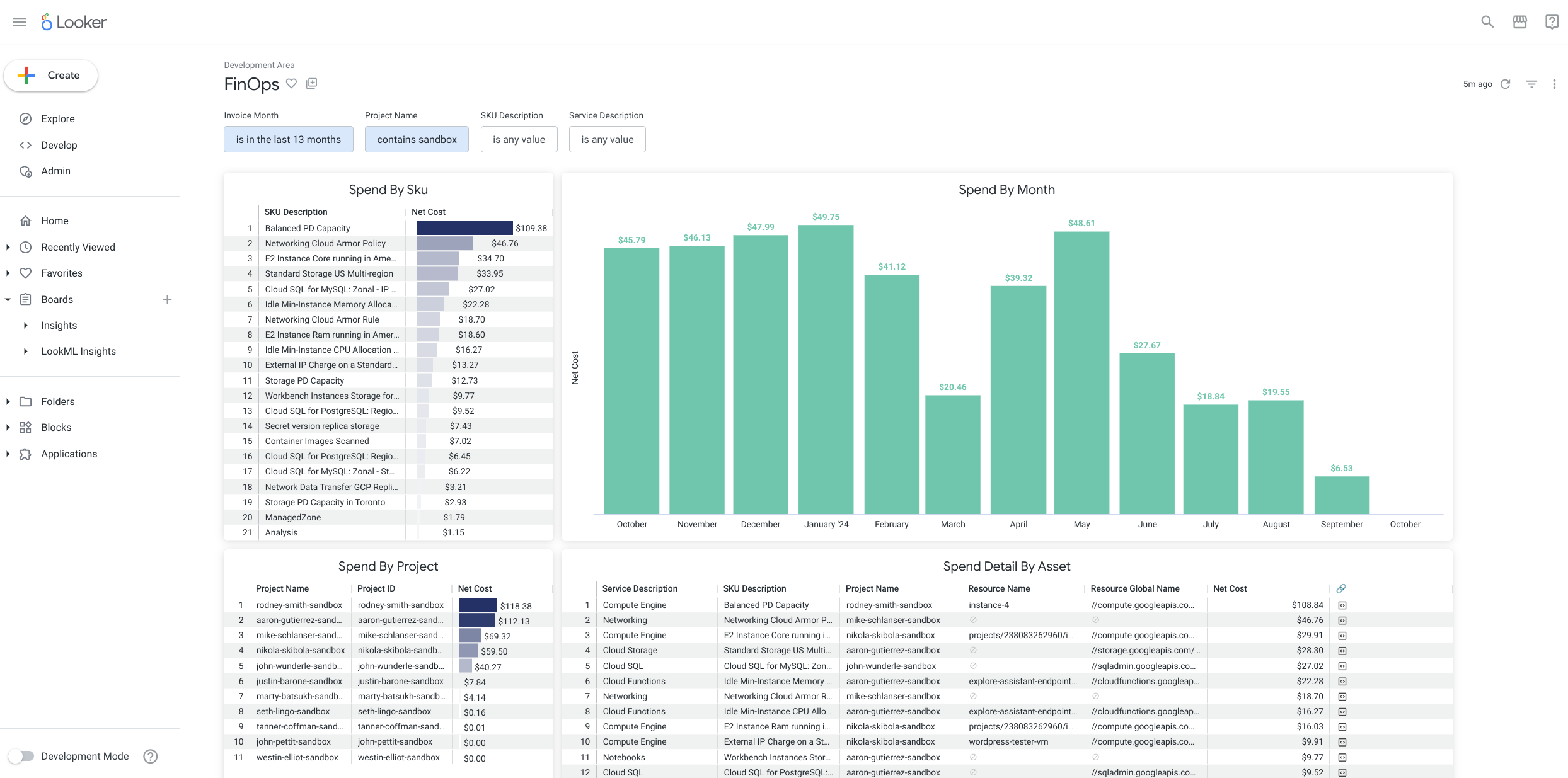
Looker is a Google Cloud-native analytics platform built to support modern data operations. It doesn’t just visualize data — it reshapes how data is governed, shared, and embedded across your organization.
Cloud-Native by Design
Looker runs on Google Cloud and connects directly to BigQuery. You don’t need to extract and move data to analyze it. No lag. No stale exports. Just fast, live results.
Governed Metrics with LookML
Instead of building one-off reports, Looker teams create reusable models using LookML, a modeling language that defines metrics and logic in one place. That means fewer errors, less duplication, and cleaner reporting across the board.
Embedded Analytics & Custom Apps
Looker’s APIs make it easy to bring insights directly into the tools people already use, whether that’s a CRM, support platform, or custom-built app. And because it's all real-time, no one’s working off last week’s numbers.
The Business Benefits of Migrating to Looker
Moving to Looker isn’t just a tech choice. It’s a way to create deeper visibility, reduce manual burden, and enable a stronger data culture.
Here’s how that plays out.
Faster Time to Insight
When paired with BigQuery, Looker delivers sub-second analysis of massive datasets. That speed means less time waiting, more time deciding.
Lower Shadow IT Risk
Power BI environments often produce duplicate reports and uncontrolled data definitions. Looker centralizes logic in one shared layer, reducing off-the-books dashboards and conflicting metrics.
Trusted, Collaborative Reporting
Teams stop fighting over whose report is right. With governed data models and shared dashboards, everyone uses the same source of truth.
Self-Service Without the Sprawl
Looker enables “explores,” letting users dig into data safely without rebuilding reports. They stay within guardrails, but still get flexibility.
Flexible Integration
Speaking of flexibility, Looker’s APIs and app framework support deep integrations with existing tools (not just Microsoft products). Whether your team uses Salesforce, Zendesk, or internal apps, insights can follow them.
When It’s Time to Rethink Power BI
Even if Power BI has worked for years, your organization might have outgrown it.
Look for these inflection points — they tend to signal that it’s time to rethink your data stack.
Your cloud strategy has evolved.
Power BI works best in Microsoft-native environments. But many orgs are now hybrid, or moving more workloads into Google Cloud. In those cases, Power BI starts to show its limits in cost, latency, and compatibility.
Your reports are duplicative or inconsistent.
If different teams run their own versions of the same dashboard—and get different answers—you’ve likely outgrown your current governance model. Looker fixes this by centralizing data logic and making it reusable.
Self-service has become a liability.
Power BI often gives users too much freedom without enough control. That can lead to shadow metrics, overlapping datasets, or reports that break silently. Looker enables flexible exploration within guardrails.
Your stakeholders want more than dashboards.
Leaders want answers, not just charts. Looker supports embedded analytics and real-time decision tools—not just weekly reports that arrive a day late.
Your data team is spending more time maintaining than innovating.
When analysts spend their days troubleshooting broken reports or revalidating logic across departments, it’s a sign your current toolset isn’t scaling. Looker lets them focus on bigger wins.
If any of these hit close to home, it’s not a tech failure. It’s a growth signal. A modern BI layer like Looker can unlock better insights and free your teams to focus on what matters.
How to Plan a Successful Migration
A Power BI to Looker migration isn’t just about switching tools—it’s about rethinking how your organization handles data. You’ll want a plan that’s both technical and cultural.
1. Inventory & Prioritize
Start with a complete audit of your Power BI reports. Group them by usage, importance, and complexity. Identify duplicates, outdated content, and must-move assets.
2. Build Foundational Models In LookML
Instead of rebuilding every report one by one, translate logic into shared LookML models. This gives you reusable components for reporting across teams, saving effort long-term.
3. Optimize For Bigquery (If Applicable)
If you’re already on Google Cloud, leverage native features like materialized views or data partitioning to improve performance and reduce cost.
4. Train Users Across Roles
Power users and data consumers will need different levels of training. Focus on how Looker is structured, how to run “explores,” and what’s changing from their old workflows.
5. Roll out in waves
Start with one or two high-impact departments. Use feedback and usage patterns to guide the next phase. Rolling slowly lets you adapt without overwhelming your team.
6. Communicate Clearly
Change management is key. Users need to know where to find things, who to ask for help, and what’s staying the same. Treat the migration like a business change, not just a tech upgrade.
How to Plan a Successful Migration
If Power BI has started slowing your insights down — or multiplying complexity instead of reducing it — it might be time to pivot.
Looker offers a way to unify your reporting, reduce confusion, and accelerate decision-making. And with the right migration strategy, you don’t have to lose momentum along the way.
If you’re ready to make the switch to Looker, contact Promevo. We know Google Cloud inside and out. From BigQuery optimization to IAM policies, we help you connect the dots across your stack. Our team supports everything from LookML model builds to embedded analytics use cases. Whether you’re migrating 50 reports or 5,000, we’ve done it.
Schedule a Power BI to Looker migration workshop with our team to get started. We’ll help you map the path, align your data, and bring your insights into the cloud era.