


Every time you use Google Workspace, you see reminders of Gemini. You keep hearing how valuable AI tools like Gemini, but you're still not entirely sure how. Maybe you've even experimented with Gemini and haven't managed to get a worthwhile output.
If you want to get useful results from Gemini for Google Workspace, one of the first and most important steps to take is learning prompt engineering. We covered the main best practices for effective prompt engineering in a recent webinar. The full recording is worth checking out, but here are a few key takeaways to get you started.
Why Should You Use Google Gemini?
Gemini for Google Workspace is a powerful generative AI tool built right into your favorite Workspace applications, such as Drive, Docs, and Sheets. You can use it as an assistant to help speed up or enhance a wide range of different work tasks you perform, such as:
- Producing and editing written content
- Creating images
- Creating and organizing spreadsheets
- Performing research
- Transcribing calls
- Summarizing calls and documents
Incorporating Google Gemini into your work processes can potentially help you get more done in less time and with less effort. It can't replace the work you do — a human touch is always an important part of using generative AI effectively — but it can serve as a technological partner in many everyday work tasks.
What is AI Prompt Engineering?
Prompt engineering is the practice of crafting a prompt for generative AI that produces a quality response. Gemini, like any generative AI tool, will only produce responses as good as the prompt you give it. The tool needs the right amount of context and details to effectively process what you're asking for and provide a satisfactory answer.
Prompt engineering is part science, part art form. And as with many things with life, it can take some practice to get a feel for what works.
10 Guidelines for Effective AI Prompt Engineering
Good prompting is all about clarity, specificity, and intentionality. But knowing that in a general way is less useful than breaking it down into specific tips you can apply to the prompts you write.
Here are a few of the best practices that can help you go further with Google Gemini — but keep in mind that many of these recommendations are more general guidelines than hard and fast rules. You can always experiment and try out different strategies as you go to see what techniques work best for your needs.
1. Aim for the Sweet Spot: 21 Words
The most successful prompts tend to average around 21 words. This is a guideline that will vary a lot based on your specific needs. When you have a complex request, a longer prompt that includes more detail will likely yield better results.
And if you're looking for something fairly simple, you may get what you need with a shorter prompt. But aiming for 21 words can give you a good starting point as you're learning how to craft effective prompts.
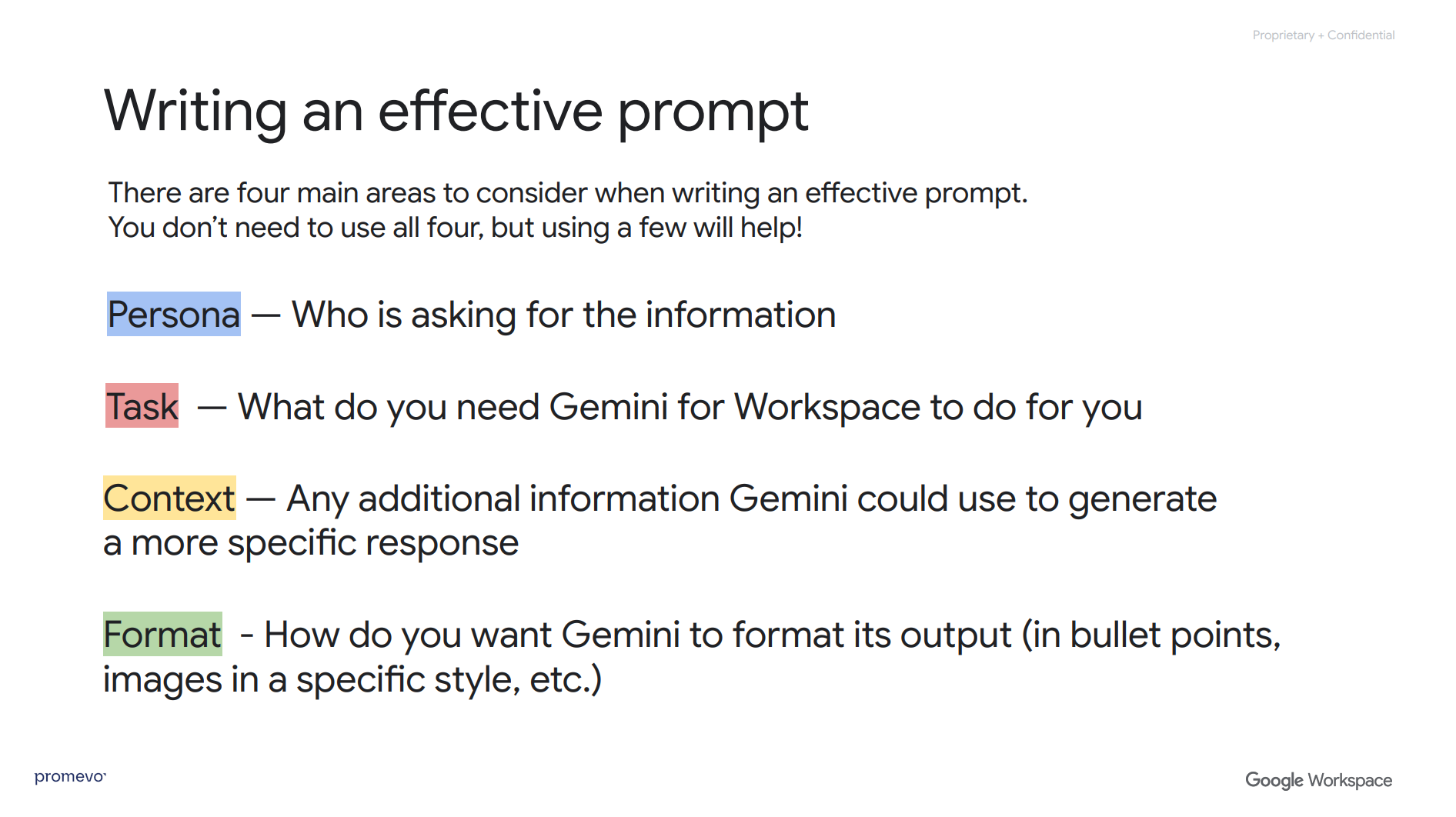
2. Include the Main Four Elements
The best prompts will typically provide four main pieces of information:
- Persona: Start by clarifying who you are, and potentially who your target audience is as well. If you're a UX designer working on an educational app for kids, saying so in your prompt will give Gemini the context to tailor its response to your situation.
- Task: Describe the specific result you want Gemini to produce for you. That could be telling it you want a blog post outline or a summary of a document.
- Context: Think about any additional information you can add to your prompt to help Gemini provide a better response. If you're asking for it to draft a marketing email, that could mean saying it should include information about your store's upcoming sale, a call to action (CTA), and a link to your landing page.
- Format: Specify how you want the output to look. You could say you want the result to be in short paragraphs, or a mix of paragraphs and bullet points, or that you want it to stick with short sentences.
3. Write Instructions Rather Than Questions
This tip's pretty straightforward. Gemini will often respond better if you tell it what to do, rather than ask. If you have a question, see if you can rework it into a statement.
So instead of "what should I include in a press release?" you would say "Write a press release" and then go on to add as much context as you're able about what the press release should be about, who it's for, and how it should look.
4. Add an Example
If you have a good example of the type of output you're asking for — like an email template, or a past press release — providing that to Gemini gives it something clear to reference. That can help it get the structure and tone right. Examples are especially valuable when creating a prompt for image generation.
5. Clarify Limits
In addition to specifying what you want to see in the results, you can also clarify what you don't want. Adding guardrails to your prompt can help you avoid irrelevant responses, and reduce the likelihood of hallucinations — the name for the inaccurate information generative AI tools sometimes provide.
Limits could include specifying which sources to use (e.g. "only include information you found on our website or respected industry publications") or factors like length (e.g. "keep your answer under 1000 words").
Even if you include specific limits in your prompt related to accuracy, you should always double-check the information an LLM (large language model) provides. Clear guardrails can help reduce hallucinations, but so far they're not enough to fully prevent them.
6. Specify Style & Tone
Gemini can tailor its output to a range of writing styles. If readability for a broad audience is important, you could tell it to keep its response at a 5th-grade writing level. If your audience is upper-level professionals, you could suggest a more formal, professional writing style.
7. Follow Up
One of the great things about Gemini is that you're never stuck with the first response. If your initial prompt doesn't produce the result you want, keep going. You can refine your original prompt, start over with a new approach, or ask questions to get a better idea of what follow-up prompts will get you closer to what you need.
You could tell Gemini to rewrite the response in a formal tone, tell it to provide a shorter version, or ask it to provide sources for the information it included. You can go back-and-forth as long as it takes to get a version of the response you want to work with.
8. Rate Your Response
After Gemini has generated your text, you can provide feedback. If the response is impressive, you can click the thumbs-up button. If Gemini included a hallucination or failed to follow your instructions, you can give it a thumbs down and tell the tool why.
Providing feedback as part of your interactions with Gemini can help it refine its responses to better reach what you want.
9. Let Gemini Write the Prompt
This is a savvy way to work smarter rather than harder. If you're struggling to draft a prompt, ask Gemini to write it for you. You can provide an initial prompt with the most basic information and tell Gemini to write you a power prompt, then tweak what it produces to better match your needs.
10. Rework the Output as Needed
You can also always rewrite the text Gemini generates. In fact, editing or rewriting the output generative AI tools produce is a good practice. It gives you the chance to introduce more human touches, identify and correct hallucinations, and remove anything that doesn't provide value (like excess emojis or phrases that make it clear the response came from an LLM).
Gemini can be a powerful partner in creating text and images, but humans have a valuable role to play in making its output more accurate and useful.
Putting It All Together: Sample Gemini AI Prompts
Mastering AI prompt engineering takes practice, but the results are worth it. With just a few adjustments to how you communicate with Gemini, you can dramatically improve the relevance, clarity, and usefulness of its responses.
To recap, the most effective prompts:
-
Average around 21 words to balance brevity with clarity.
-
Include the four key elements: persona, task, context, and format.
-
Use clear instructions instead of open-ended questions.
-
Provide examples and limits to guide Gemini’s output.
-
Specify the tone and style you need.
-
Allow for follow-up, feedback, and refinement.
-
And don’t forget — Gemini can help you write better prompts, too.
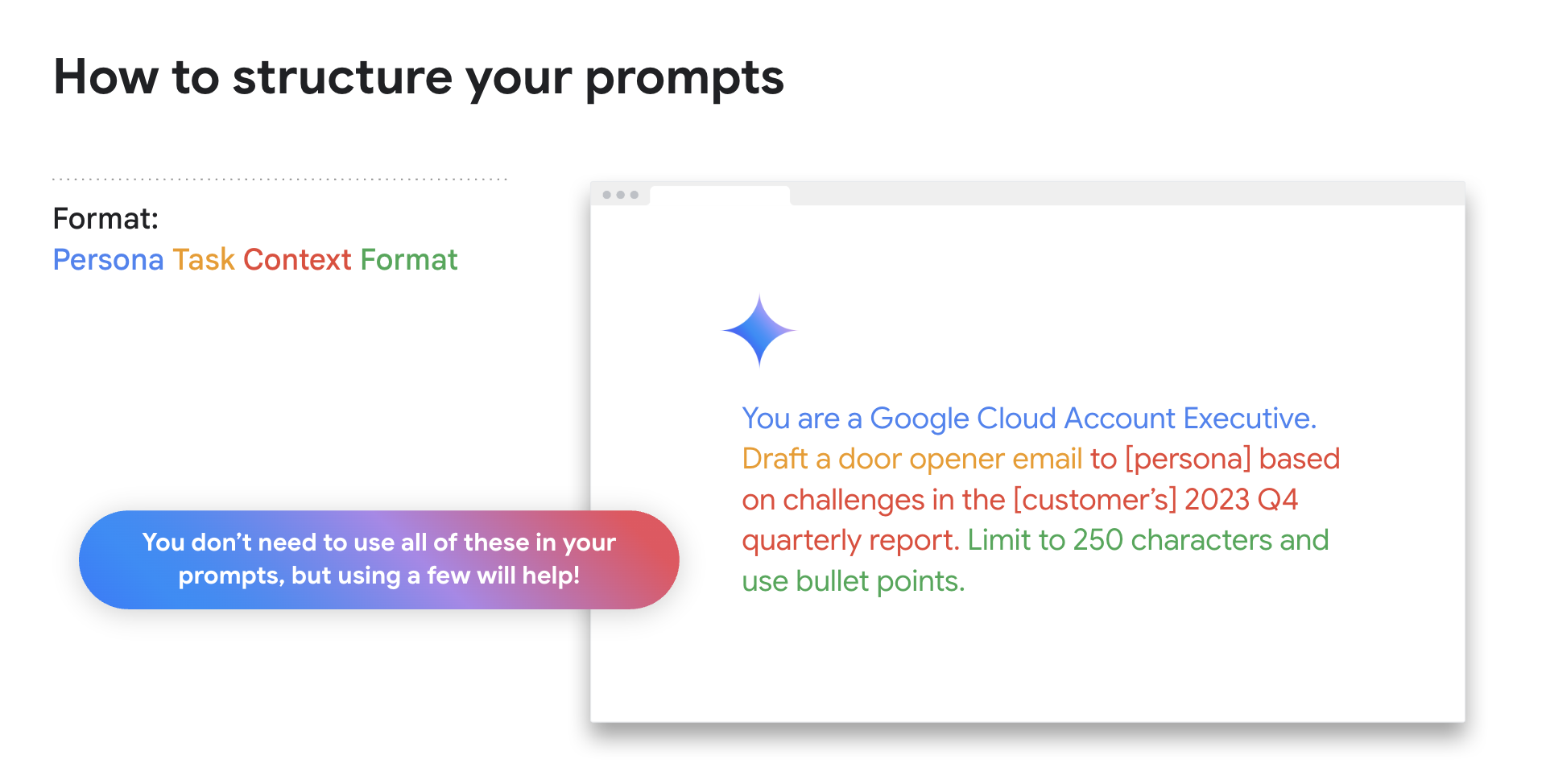
Here are a few example Gemini AI prompts that apply these best practices and show how you can put them into action in Google Workspace:
-
Persona + Task + Context + Format: “I’m a content marketer at a tech startup. Create a LinkedIn post announcing our new feature launch. Include a CTA and keep it under 150 words.”
-
Instruction + Style + Limit: “Summarize this Google Doc in bullet points using plain language, and keep it to fewer than 10 bullets.”
-
Visual Aid Prompt (Image Generation): “Generate a header image for a company newsletter about AI trends in 2025. Use a clean, modern design with neutral colors.”
-
Prompt Refinement: “Rewrite this customer email in a more friendly, conversational tone and remove any technical jargon.”
-
Let Gemini Help with the Prompt: “I need help drafting a prompt for an internal company survey about hybrid work preferences. Can you write one for me?”
By applying these strategies and continuing to iterate, you’ll find that Gemini becomes an even more powerful tool in your workflow — one that’s not just reactive, but collaborative and creative.
Become a Pro at Prompt Engineering
Everybody has to start somewhere with prompt engineering. By reading this post, you've already learned the basics. You can learn more and see examples of these tips in action by checking out our full webinar on prompt engineering best practices. And you can graduate to a full-on Gemini whiz by checking out the full Gemini adoption series.