


Modern business environments depend on constant information flow. Teams share links, collaborate with partners, store sensitive documents in Drive, and communicate through Gmail.
While this pace brings obvious benefits, it also exposes organizations to real risk. A single mistake can send confidential information to the wrong person, a motivated insider can move sensitive files outside the ecosystem, or a missing control can place an organization out of compliance with strict data regulations.
Data Loss Prevention (DLP) provides the necessary control in this landscape. By setting guardrails that stop accidental exposure and block malicious activity, DLP protects confidential information across Google Workspace.
This control is vital in cloud-first environments where information moves rapidly through multiple channels. Integrating DLP into a Google Workspace governance strategy protects collaboration without slowing down the organization.
Google & Data Loss Prevention
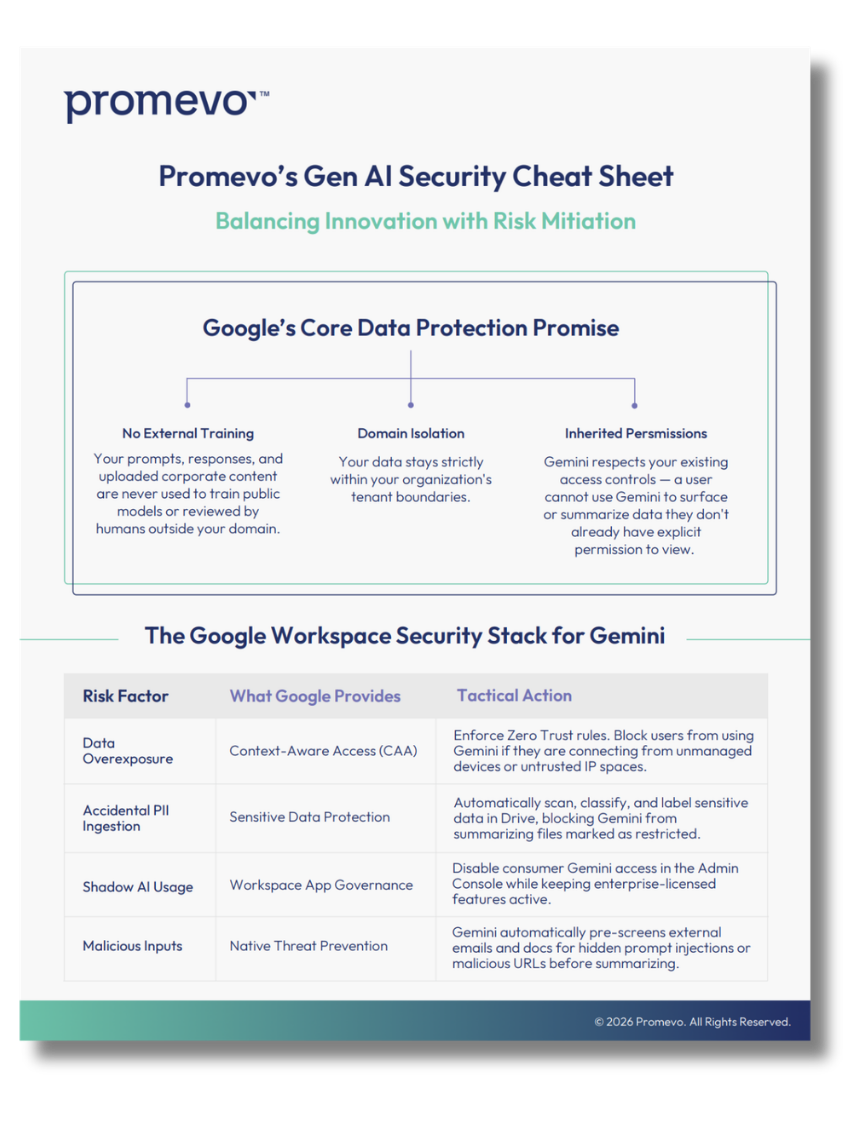
Google provides a distinct advantage because DLP functions are built natively into Gmail, Drive, and Chat. Organizations can work within their existing platform without managing external, dedicated tools.
Aligning DLP policies with overall Workspace configurations simplifies training, policy rollout, and long-term governance. It also provides protection against three major threat categories:
- Accidental sharing: Users sending documents or links to unintended recipients.
- Malicious exfiltration: Individuals removing sensitive information for personal gain.
- Regulatory exposure: Controls failing to meet standards like HIPAA, GDPR, or CCPA.
Maintaining control over every document and message requires a structured DLP checklist tailored for Google Workspace.
Why DLP is a Foundational Governance Requirement
Treating DLP as a core governance requirement — rather than an optional enhancement — helps protect organizational integrity. Information moves across email threads, shared folders, chat messages, and external collaborations; each of these channels carries risk without a clear rule set.
DLP is used to classify information, identify sensitive patterns, and apply actions that prevent loss before it occurs. It also provides transparency, allowing administrators to see where information moves and which files require extra protection. This visibility supports better security decisions and builds confidence in the overall security model.
Because Google Workspace builds these features directly into the platform, administrators can create rules, scan content, and block unsafe actions without additional software. This alignment between DLP settings and identity or access controls reduces the complexity of your organization’s administrative workload.
Core Pillars of Google Workspace DLP
A strong DLP strategy rests on three major pillars, each protecting a different communication channel.
Gmail DLP
Gmail often moves information faster than any other tool, with messages leaving the environment in seconds. Placing strong controls on outbound content avoids many potential incidents.
Gmail DLP rules can review email content, subject lines, and attachments before a message is sent. Actions include blocking the message, warning the user, or quarantining the message for review. Predefined detectors also help identify sensitive patterns such as credit card numbers, Social Security numbers, and protected health information.
Drive DLP
Drive holds an organization’s most valuable information. Controlling file movement across shared and individual drives protects internal teams and compliance obligations.
Drive DLP policies identify sensitive content — including file contents, comments, and metadata — before users share files. If a user attempts to share a file externally without clearance, the system can block the action, warn the user, or restrict the file.
Chat DLP
Chat simplifies communication, but rapid message flow increases the risk of data exposure. Chat DLP policies scan messages for restricted patterns and can prevent them from being sent. This guides teams toward responsible communication without hindering the speed of conversation.
A Practical DLP Checklist for Google Workspace Governance
Adopting a clear checklist strengthens the governance model and serves as a baseline for audits and policy revisions.
- Identify Sensitive Data Types: Understand what matters most, such as financial info, legal records, or intellectual property.
- Set Clear Policy Goals: Define objectives like blocking outbound leaks or maintaining regulatory compliance.
- Configure Rules for Each Channel: Build specific rules for Gmail, Drive, and Chat to ensure protection without friction.
- Create User-Friendly Warning Messages: Guide behavior by explaining why an action violates policy.
- Review Alerts Regularly: Monitor for repeat offenders or gaps in policy coverage to refine security posture.
Partner with Promevo for Stronger Visibility & Control
A complete DLP strategy is a continuous process. As data grows and collaboration habits evolve, security measures must adapt.
At Promevo, we help organizations navigate the complexities of Google Workspace security and governance. Our experts provide the insights and managed services necessary to:
- Standardize data cleanup and account security steps.
- Audit user activity to reveal risk patterns before they become incidents.
- Optimize Google Workspace configurations for maximum data protection.
By combining Google's native DLP controls with Promevo’s specialized governance expertise, you create a structured foundation that allows your teams to collaborate confidently.