

You’ve probably noticed how much time teams lose tracking down information — searching old threads, hunting for the latest deck, or trying to make sense of disconnected notes. NotebookLM changes that.
It’s Google’s personalized AI workspace powered by Gemini, built to help you reason across your own content, not the open web. You can upload project docs, meeting notes, or research files, then ask NotebookLM to summarize, connect, and explain everything in plain language.
It’s more than a new app. It’s a smarter way to manage information. Whether your team’s hybrid, remote, or spread across time zones, NotebookLM helps you stay aligned and informed without the back-and-forth. Let’s explore how it fits into your workflow and how businesses are using it to move faster and work smarter.
What NotebookLM Does
NotebookLM creates AI “notebooks” that learn from the files, links, and notes you add. With Gemini built in, you can generate insights, summaries, outlines, and follow-up ideas from your internal sources. It’s like having a research assistant who knows your projects inside out.
Instead of scraping the web, NotebookLM focuses only on what you feed it, so every suggestion stays accurate to your organization’s knowledge base. It’s designed for privacy and clarity, giving you an instant way to synthesize information, explain complex topics, or create new material from trusted content.
Want to learn more? Check out this quick explainer video from our Marketing Director, Brandon Carter, or watch our on-demand NotebookLM webinar.
Why It Matters for Business Productivity
Most teams spend hours searching, rewriting, or double-checking information that already exists somewhere in their workspace. NotebookLM turns that inefficiency into instant clarity.
It helps you:
- Cut down time spent digging through folders or messages
- Capture and share organizational knowledge across teams
- Create summaries and insights that anyone can understand
If you’ve already started using Gemini in Google Workspace, NotebookLM adds another layer of power. It gives you a space where AI helps you not just generate text, but truly understand your own data and materials.
AI in Google Workspace isn’t just about automation it’s about augmentation. NotebookLM helps you think faster and communicate more clearly.
Instead of switching between Docs, email threads, and folders, you can keep your insights, notes, and references in one evolving space. When you upload materials, NotebookLM doesn’t just summarize them; it helps you see relationships you might miss, like patterns across sales reports or recurring feedback in customer surveys.
For managers, that visibility transforms daily decisions. You can use NotebookLM to surface what your team already knows, compare project outcomes, or identify gaps in shared knowledge. It’s especially powerful for organizations that have grown fast or operate across multiple locations.
What used to require a full day of meetings can now happen in a few focused minutes of review. That kind of clarity helps you move from reactive management to strategic leadership, a mindset where information fuels progress instead of slowing it down.
Top Business Use Cases for NotebookLM
Internal Knowledge Hub
Turn company policies, process docs, and training materials into a dynamic, searchable library. NotebookLM can summarize HR guidelines, explain procedures, or provide quick answers to policy questions, all drawn directly from your uploaded content.
Meeting Prep & Follow-Up
After a call or meeting, drop your transcript into a notebook. NotebookLM will summarize key points, highlight decisions, and outline next steps. You can even compare notes from multiple meetings to track progress across a project.
Client Communication
Draft proposals, recap emails, and project updates based on client-specific files. NotebookLM can help you tailor content using the same tone, data, and materials your team already created, saving time while keeping communication consistent.
Team Onboarding
Gather internal presentations, handbooks, and SOPs into a single AI-driven guide. New hires can ask NotebookLM questions in natural language and get quick, contextual answers drawn from those materials — no more waiting for someone to explain how things work.
Marketing & Content Creation
Use NotebookLM to brainstorm campaigns, summarize research, and develop outlines for blogs, decks, or presentations. It’s especially useful for teams juggling multiple PDFs or reports, turning dense reading into actionable ideas.
Project Management
Keep large, multi-department projects organized by linking related files and updates. NotebookLM can summarize milestones, track dependencies, and surface insights from connected documentation so everyone stays on the same page.
How NotebookLM Fits Within Google Workspace
NotebookLM connects naturally with the tools you already use, like Google Docs, Sheets, and Drive. You can pull in existing files and turn them into the foundation for new ideas or analyses. If you’re using Gemini for Google Workspace, adding NotebookLM gives you another way to bring AI directly into your workflows.
It complements your Workspace setup instead of replacing it. Think of it as a layer of intelligence that helps your organization get more value out of the information you already store in Google Drive.
Privacy & Security You Can Trust
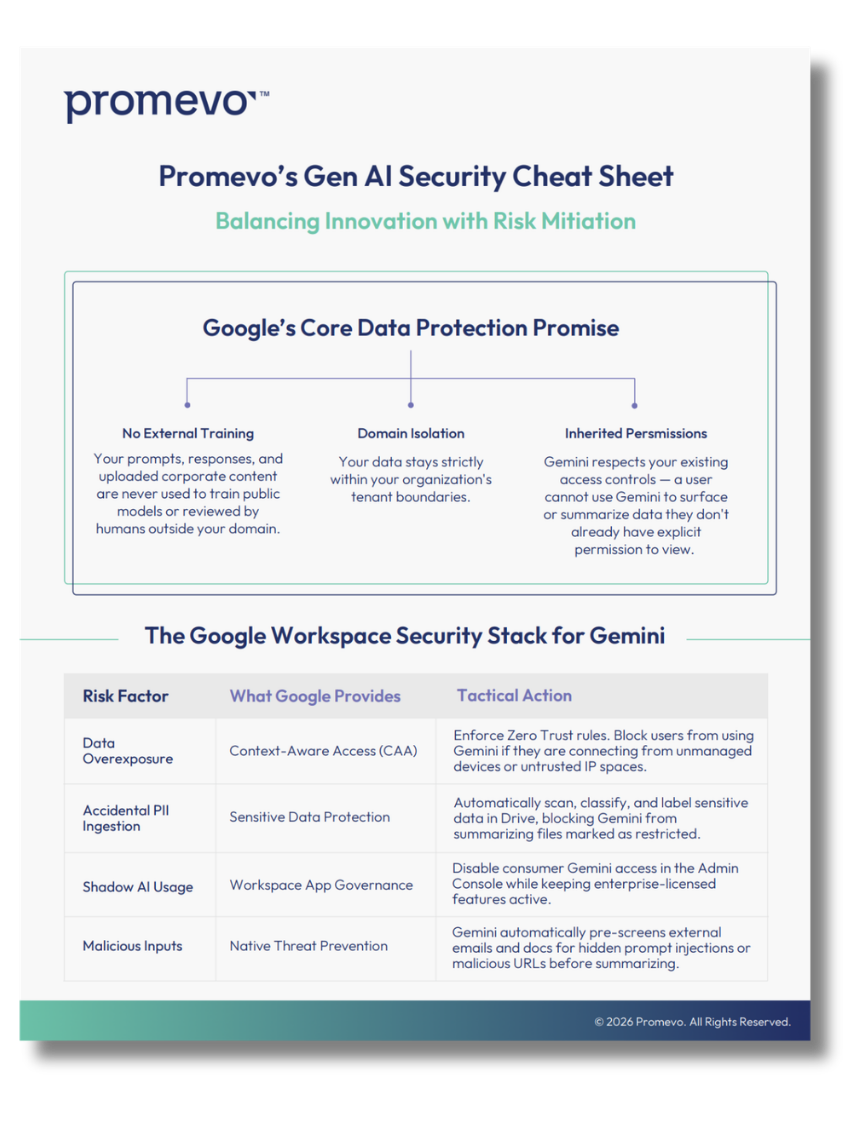
NotebookLM works entirely from your chosen sources. Your data stays private and isn’t used to train external models. Google maintains enterprise-grade protections and encryption across Workspace, ensuring sensitive information stays secure while you experiment with AI tools.
You control what goes into each notebook and who can access it so your team can collaborate confidently.
As teams start experimenting with NotebookLM, the biggest wins usually come from alignment, when leaders define how AI supports existing goals instead of creating new silos.
Promevo clients often begin with a small pilot, connecting a few key departments or initiatives, then expand once they see the time savings and accuracy gains. NotebookLM makes it easy to scale because it works inside the Workspace tools your teams already trust.
That consistency also matters for compliance and governance. You can monitor permissions, manage data sources, and apply existing Workspace security policies without new overhead. It’s a modern way to let AI work within your company’s framework rather than around it.
Promevo’s Perspective & Next Steps
AI in the workplace is all about amplifying what your team can do. NotebookLM shows what’s possible when you connect human knowledge with Gemini’s reasoning power.
Promevo helps businesses deploy tools like this responsibly and strategically. Through our Gemini Deployment Workshops, we guide teams through AI use cases, pilot projects, and Workspace integrations that fit their goals.
If you’re ready to explore what NotebookLM and Gemini can do for your organization, contact us.