

It wasn't that long ago that companies were using AI token usage to measure AI's success. The idea being: if employees weren't utilizing millions (or even billions) of tokens a month, then businesses weren't achieving AI ROI.
Now, the trend has swung in the opposite direction. As the introduction of agentic AI increases the number of AI tokens workers use, many business customers have been taken by surprise as higher bills start rolling in. Uber famously blew through its entire generative AI budget for 2026 in the first quarter. Yikes.
At a Glance
- AI products use two main billing models: seat-based and consumption-based
- Consumption-based (token) pricing is driving surprise AI bills in 2026
- Google Workspace plans include Gemini, with usage limits varying by tier
- Gemini Enterprise extends agentic AI beyond Workspace apps with its own quotas
- Smart model choice, caching, and training are the biggest budget levers
Does that mean you should ditch artificial intelligence at your company to avoid a similar fate? Nah.
But you should take some time to make sure you understand how AI billing works in 2026, so you can develop a smart approach to AI budgeting that makes sense for your business.
Spoiler: AI billing can be both complicated and confusing. But we'll help you gain at least a basic understanding of how it all works in this post, with a particular focus on understanding usage limits for Gemini for Google Workspace.
AI Pricing Models: AI Tokens vs. Seats
To understand why businesses are being caught off guard by their LLM (large language model) bills, you need to understand how generative AI companies typically price their products.
The main LLM companies generally offer two main pricing models:
Seat-Based Billing
Fixed cost per user, predictable budget
- Pay a flat monthly fee per person
- Easy to forecast spend
- Usually includes usage limits
- Heavy users can hit caps early
Consumption-Based Billing
Pay for what you use, in tokens
- Charged per million tokens used
- No hard usage limits
- Bills scale with activity
- Higher surprise-bill risk
For generative AI products, tokens are the main units of measurement used to gauge usage and determine what you owe. To give you an idea of what counts as a token, within Gemini models a token is around four characters, or 60-80 English words per 100 tokens.
Consumption-based pricing means your employees can use generative AI as much as they want, which may be good for productivity, but this is the kind of pricing that's leading to big surprise bills.
While the price of AI tokens has generally gone down, if your workers are running AI agents, the amount of tokens they use can be unpredictable and rise faster than you're prepared for.
The 2026 AI Pricing Landscape: What the Main LLMs Cost
AI pricing can get complicated, and the main generative AI companies change their prices often enough that it can be hard to keep up. As of the time of this writing, here's a basic rundown of how the four main LLM products handle pricing.*
2026 Subscription Pricing: Top Four LLM Products
| Product | Entry Tier | Mid Tier | Top Tier |
|---|---|---|---|
| ChatGPT | Free / Go ($8/mo) | Plus ($20/mo) | Pro ($100/mo) |
| Claude | Free | Pro ($17/mo) | Max ($100/mo) |
| Microsoft Copilot | Included in M365 | Business ($21/mo) | Enterprise ($30/mo) |
| Gemini | Free / AI Plus ($4.99/mo) | AI Pro ($19.99/mo) | AI Ultra ($99.99/mo) |
ChatGPT
ChatGPT offers several monthly plans at different price points, with the higher-cost options offering more messages, higher-level models, integrations with common business applications, and access to premium features like custom GPTs (generative pre-trained transformers) and deep research. The monthly plans range in price from:
- Free
- Go: $8 a month
- Plus: $20 a month
- Business: $20 per user per month
- Pro: $100 a month
The Pro plan advertises "unlimited" usage to the model, subject to abuse guardrails, but places limits on deep research.
The company also offers a Business Codex plan with usage-based pricing, enterprise plans with custom pricing, and the option to pay for additional credits after you hit usage limits.
For usage credits, they price per 1 million tokens, with different pricing levels for different GPT models.
Claude
Like ChatGPT, Claude offers a mix of subscription plans and usage-based pricing, with higher-cost plans offering access to more Claude tools, business integrations, and usage limits.
Their pricing for their monthly plans is:
- Free
- Pro: $17 a month
- Max: $100 a month
- Team: $20 per seat per month for standard, or $100 per seat for premium
- Enterprise: $20 per seat, plus usage/API billing
Their API rates are priced per million tokens (MTOK) and range from around $1 MTOK for their most basic model (Haiku) to $50 MTOK for output tokens of their most advanced model (Fable).
For the seat-based plans, you have a 5-hour session window before your token budget resets, along with a weekly active compute cap. You also burn tokens faster during peak hours (Weekdays 5am to 11am Pacific) than at other times of day.
Microsoft Copilot
For businesses that use Microsoft 365 already, Copilot Chat is included in the subscription model. But for more advanced functionality, like having Copilot more integrated into your apps and tapped into your business data, you can upgrade to access Copilot's AI assistant with an add-on plan (both require a Microsoft 365 subscription as well):
- Copilot Business: $21 a month
- Enterprise: $30 a month
The monthly enterprise plan includes access to Microsoft Studio, so you can build and run AI agents. Microsoft also provides usage-based billing options for Microsoft Studio.
You can either pre-pay for Copilot Credits or choose the pay-as-you-go model. Copilot credits cost $.01 and different actions and tools use different amounts of credits.
Gemini
If you have a Google Workspace plan, there's a good chance it comes with Gemini already included.
The Business Starter plan offers basic Gemini access, but the Business Standard, Business Plus, Enterprise Standard, and Enterprise Plus plans all offer expanded access with deep functionality that includes integration with all the main Workspace apps.
If you don't have a professional Workspace plan, the subscription plans for Gemini look pretty similar to those of the other generative AI tools:
- Free
- Google AI Plus: $4.99 a month
- Google AI Pro: $19.99 a month
- Google AI Ultra: $99.99 a month
With Gemini, usage-based pricing mostly comes into play for developers who use Gemini API. Like the other companies, they price per 1 million tokens.
Google also offers Gemini Enterprise, an agentic platform designed to work across a larger technology ecosystem than just Workspace. It connects with other business-critical applications and powers autonomous agents that can streamline complex workflows. Pricing for Gemini Enterprise starts at $21 per seat per month.
Workspace with Gemini
AI built into the tools your team already uses
- Lives inside Docs, Sheets, Slides, Gmail
- Bundled with Business and Enterprise Workspace
- Day-to-day productivity and writing help
Gemini Enterprise
Agentic AI that connects your whole business
- Connects beyond Workspace to your full data ecosystem
- Powers autonomous agents and complex workflows
- Starts at $21 per seat per month
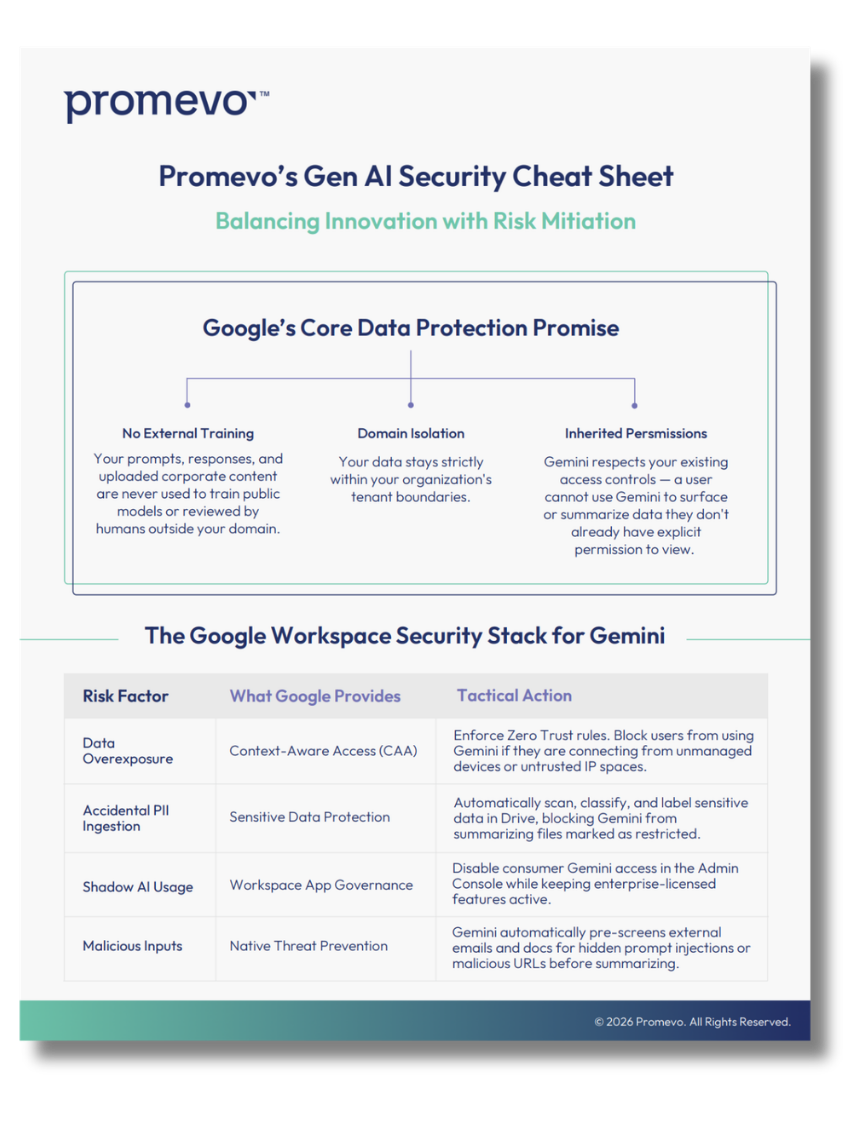
For a more detailed rundown, check out our one pager.
*These prices may have already changed by the time you're reading this, check the links to confirm what they look like now.
AI Usage Limits in Google Workspace & Gemini Enterprise
Since Promevo is a Google partner, let's zero in a little more on how usage limits work within Google Workspace and Gemini Enterprise.
Workspace with Gemini
Gemini is now bundled into both Business and Enterprise editions of Google Workspace, and for most basic uses, meaning Gemini in Docs, Slides, Sheets, and other Workspace apps, your employees are unlikely to encounter usage limits.
Google does place limits on more advanced uses, like allowing up to 25 prompts in four hours using the Gemini Pro model or 100 avatars per month in Vids (for Business Standard and Business Plus plans).
Depending on what you're using Gemini for, your usage limits may reset every few hours, daily, or monthly. You'll need to review Google's documentation on their Gemini and Advanced Gemini features for the most current usage limits by tier.
If you find employees are hitting their Gemini usage limits in a way that impedes their ability to get work done, you can invest in AI Expanded Access. Expanded access supplements your plan, allowing users higher limits for specific features like advanced image generation with Nano Banana Pro or AI-powered speech translation.
Gemini Enterprise
Gemini Enterprise is a different product than Workspace with Gemini, more focused on connecting your full data ecosystem to agentic AI, rather than adding AI functionality within Workspace apps.
Gemini Enterprise plans include quotas for actions like the number of API calls to a service and the number of projects you can create. When you hit Gemini usage limits, you have the option of requesting quote adjustments.
If navigating Gemini Enterprise plans and their usage limits sounds confusing, it is. Working with an experienced Google partner that understands Gemini Enterprise can help you create a better strategy for effective AI budgeting.
AI Budgeting Best Practices
You want to make artificial intelligence available to your workforce without facing huge surprise costs that don't match your AI budget.
There are a few tips that can help you make sure you're using LLMs in a smart, strategic way that won't decimate your budget.
Match the Model to the Task
Save Pro for complex jobs. Use Flash or Flash-lite for everyday work.
Monitor Usage
Workspace usage reports show who's hitting limits and where.
Use Context Caching
Stop re-sending the same context. Gemini will remember it.
Use Batch Processing
Half-price tokens for large jobs that can wait a bit.
Encourage, Don't Pressure
Pressure-driven AI use burns tokens without producing value.
Prioritize What Matters
Focus AI on the work that drives your bottom line.
Invest in AI Training
The single biggest lever. Trained employees waste fewer tokens.
1. Match the Model to the Task
Google offers a few different Gemini models, your main options are:
- Flash-lite: The fastest and most cost-efficient model
- Flash: A bit higher quality than Flash-light, but still pretty fast and efficient
- Pro: The model with the highest quality outputs and capabilities, but slower and uses more tokens
Not every task requires Pro. For more basic use cases, like help with a slide deck or running a chatbot, Flash or Flash-lite can provide serviceable outputs faster, while using fewer AI tokens.
You can save your Pro usage for the tasks that really need a higher level of compute, like agentic workflows or complex coding projects.
2. Monitor Usage
One of the best ways to avoid surprises come billing time is to keep an eye on usage. Workspace administrators can create usage reports to see:
- Which employees are hitting their limits (or regularly coming close)
- Usage details broken down by organizational unit and group
- The specific workers using Gemini the most, as well as those with low adoption rates
- Gemini usage per feature
That information can help you identify the employees who would most benefit from AI Expanded Access, and help you gauge how well usage habits are translating to higher productivity.
3. Use Context Caching
Many AI use cases involve repeating the same information over and over again. If you're repeatedly providing the model with details about your style guide and product features, for instance, you could be wasting tokens.
Context caching tells the model to remember previous inputs and call them up again without having to use as much compute power.
Gemini does this to some degree by default, but you have the option to manually set up caching for information you know you'll use repeatedly.
4. Use Batch Processing
Gemini offers a batch API for processing large amounts of requests at half the standard cost.
Batch API Savings
Gemini's batch API processes large request volumes at half the standard token cost. Ideal for big jobs that can run on a delay.
For large-scale, complex use cases where a slower processing time is acceptable, batch processing can be a valuable way to save on tokens and reduce the risk of hitting Gemini usage limits.
5. Encourage Experimentation, But Don't Pressure
You want employees to feel comfortable incorporating Gemini more into their workflows. But some of the companies making headlines now for running through their AI budgets went one step further, putting pressure on employees to use AI tools more than they would have otherwise.
When employees feel like they have to use generative AI more to impress their bosses, they're more likely to use it for show, rather than for use cases where it offers value.
If your current workplace culture has employees feeling pressured to use AI for everything, even if they don't find it helpful, you can easily reduce AI costs by changing the internal narrative.
6. Prioritize Mission-Critical Tasks
If you're finding that, even when using tips like these, your employees are still hitting their limits often enough to cause efficiency issues, start thinking strategically about which use cases are most important.
Identify the main Gemini uses that directly impact your organization's bottom line. Make those your priority, and provide employees with alternative suggestions for how to handle other tasks they're using Gemini for now.
7. Invest in AI Training
The most important step you can take to improve AI budgeting in your organization is investing upfront in Gemini training. When employees have a clear understanding of what Gemini can do, the kinds of tasks it's most valuable for, and how to prompt it efficiently and effectively, you can significantly cut down on wasteful AI token use.
Many organizations fell into the trap of rushing AI implementation to avoid falling behind. But doing it right is more important than doing it fast. Working with an experienced Google partner like Promevo can help you develop a smart strategy for when and how to use Gemini in your organization.
We can help you determine the right type of generative and agentic AI plans to invest in (e.g. Workspace with Gemini vs Gemini Enterprise vs both), the most valuable use cases and workflows to use it for, and how best to keep Gemini usage within your AI budget.
As AI pricing models continue to evolve and grow in complexity, it's more important than ever to make sure you're approaching generative AI use in your organization strategically. AI is still a relatively new frontier. Getting help from experienced experts can help you make the most out of the tools you pay for, without blowing your budget.